
Lightspeed X-Series - Gift Card Queue and Script User Guide

Table of Contents
Lightspeed X-Series Gift Card Queue
This queue lists all invoices and cash sales whose items include Gift Certificate Items on the Lightspeed X-Series settings for the Omni-Channel GC sync. It is used to process invoices or cash sales to the sites needed to either create or update a Gift Card balance to Lightspeed X-Series.
The queue also displays the result status of the gift card being synced to Lightspeed X-Series. Any pertinent error messages can be seen under the ‘Error Details’ section of the log when viewing.

Below are the list of fields and their descriptions of the Lightspeed X-Series Gift Card Queue record.
Field Name | Description | Notes | |
|---|---|---|---|
| 1 | Inactive | Check this box if you wish to make the Lightspeed X-Series Gift Card Queue inactive. | |
| 2 | Date Created | Date and Time the Lightspeed X-Series Gift Card Queue was activated, in relation to one of the below actions:
| |
| 3 | Site Setting | The Lightspeed X-Series Setting used to prompt the Lightspeed X-Series site to update gift card balance. | |
| 4 | Transaction | Transaction record in NetSuite that has the Gift Certificate Items on its line level. | |
| 5 | Status | Status of the Lightspeed X-Series Gift Card Queue | Possible Statuses:
|
| 6 | Error Details | Displays the details whenever there is an error in processing. |
Lightspeed X-Series Gift Card Queue Scripts
Displays the list of scripts (or programs) that uses the Lightspeed X-Series Gift Card Queue, as shown below:
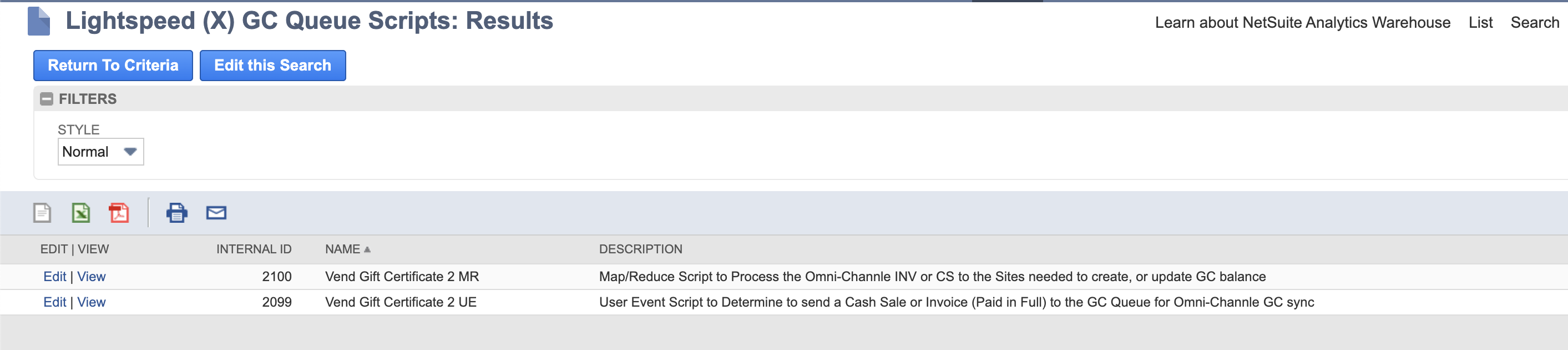
Vend Gift Certificate 2 MR: This is the main script that is responsible for processing the Lightspeed X-Series Gift Card Queue. It cross-checks all pending transactions in the queue and syncs gift card balances to Lightspeed X-Series.
This program begins running on Midnight the day after bundle installation. For example, if you install on Jan 1st, the script will activate on January 2nd at Midnight. It will then automatically check for gift card transactions every 30 minutes moving forward.
Vend Gift Certificate 2 UE: This is the script that adds transactions to the Lightspeed X-Series Gift Card Queue list.
Lightspeed X-Series Gift Card Setup/Requirements
In Lightspeed X-Series
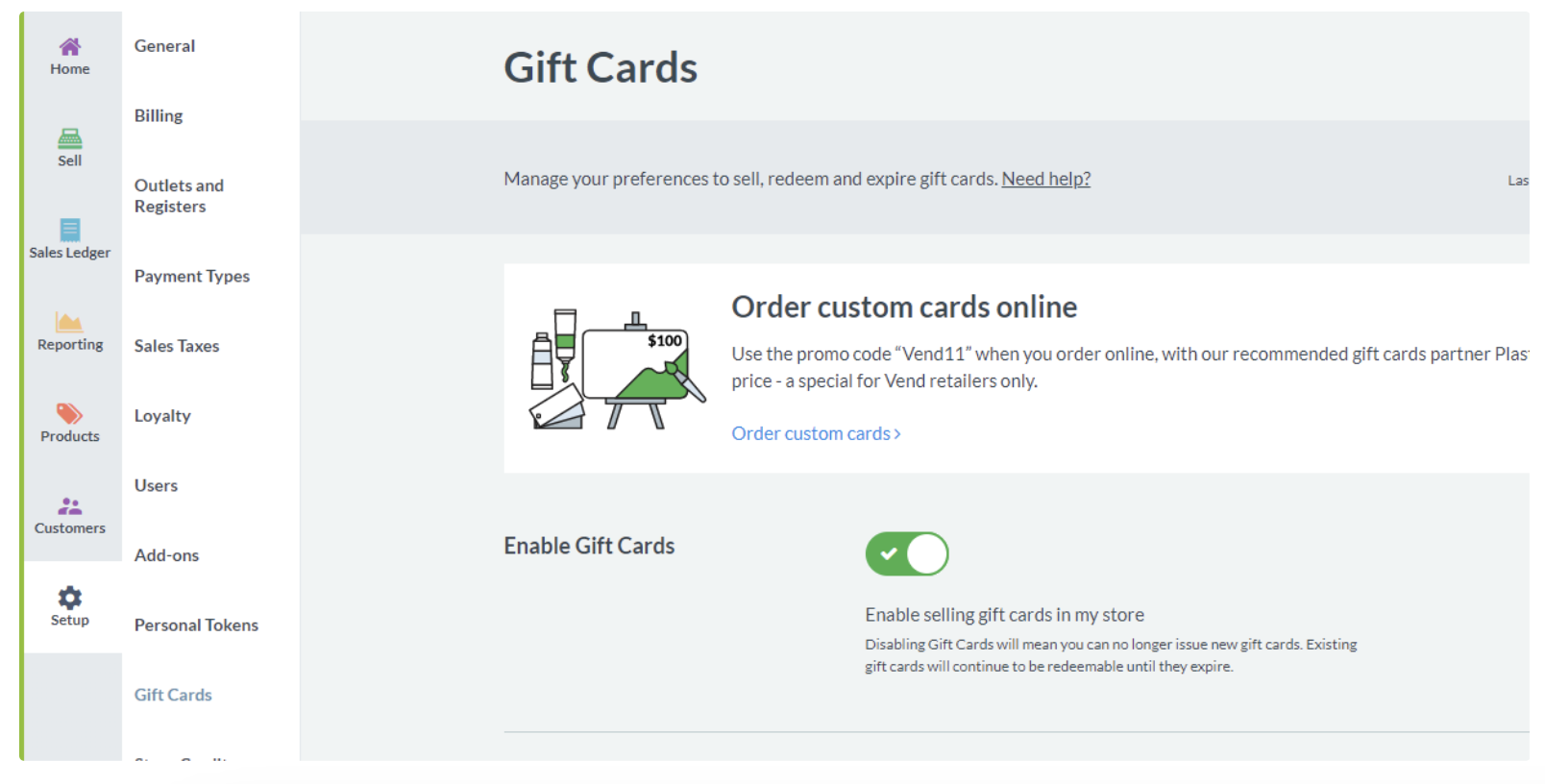
To set up gift cards in Lightspeed X-Series, you must first ensure that Gift Cards are enabled. This option can be found under Setup > Gift Cards.
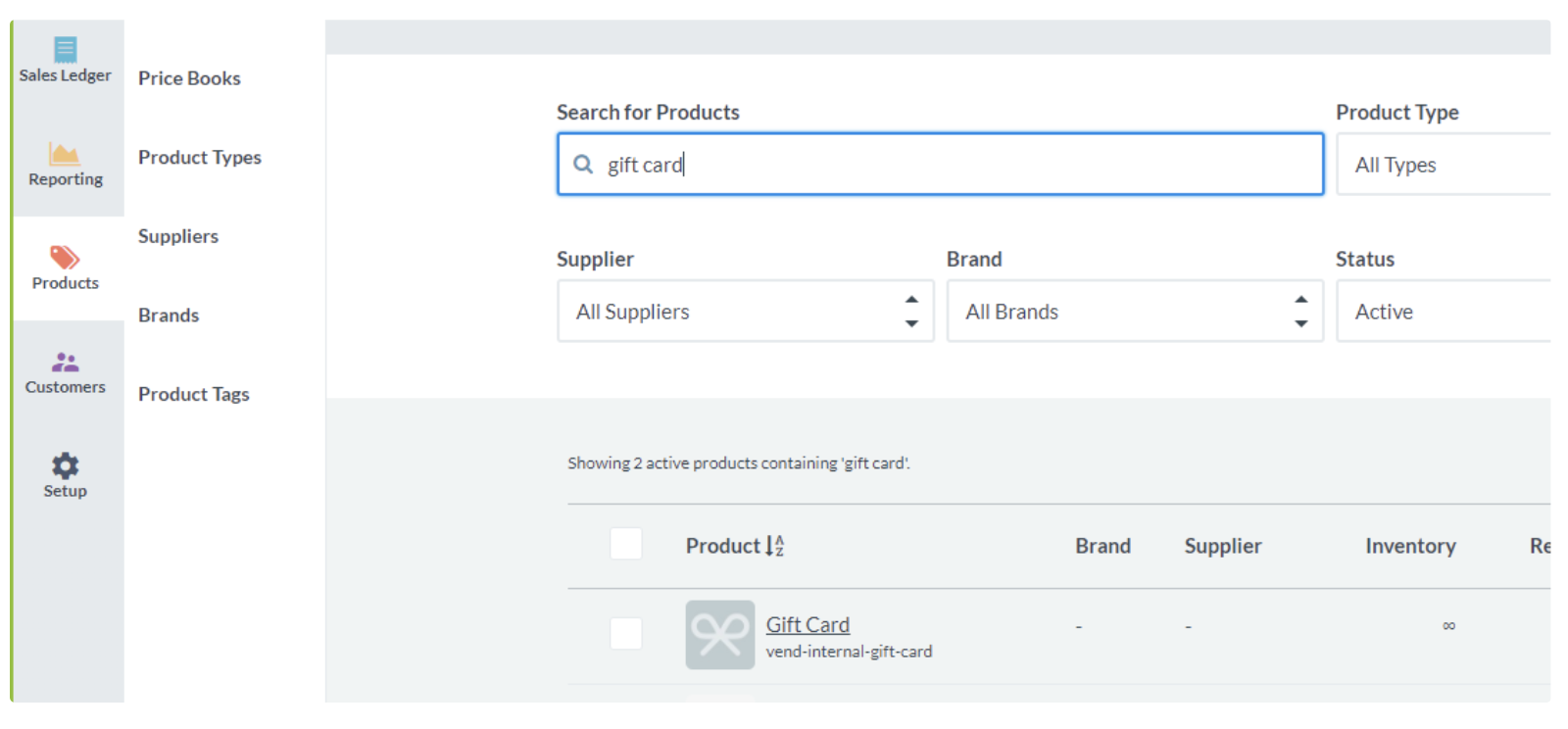
Go to Products and search for the Lightspeed X-Series Internal Default Gift Card.
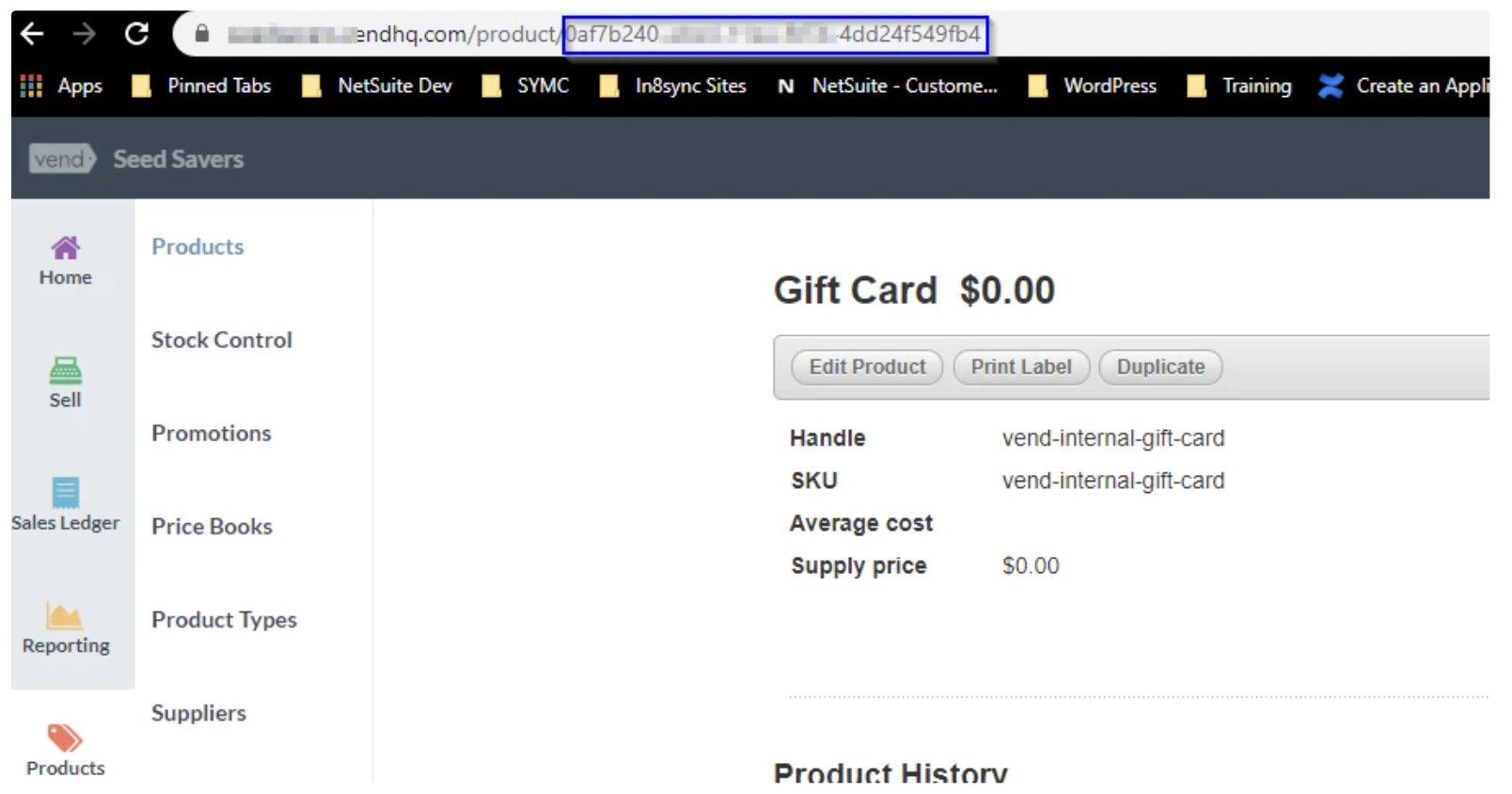
After clicking on the gift card, you will receive the Lightspeed X-Series ID for this Lightspeed X-Series Gift Card in the URL, as shown below. This ID will be used in NetSuite on the Gift Cards section of the Lightspeed X-Series Settings.
In NetSuite
Now that gift cards are active in Lightspeed, you will also need to be sure that Lightspeed X-Series Gift Cards will work seamlessly with NetSuite Gift Certificates. To do so, enable Gift Certificates Support in NetSuite by visiting the Setup Tab > Company > Enabled Features > Items & Transactions.
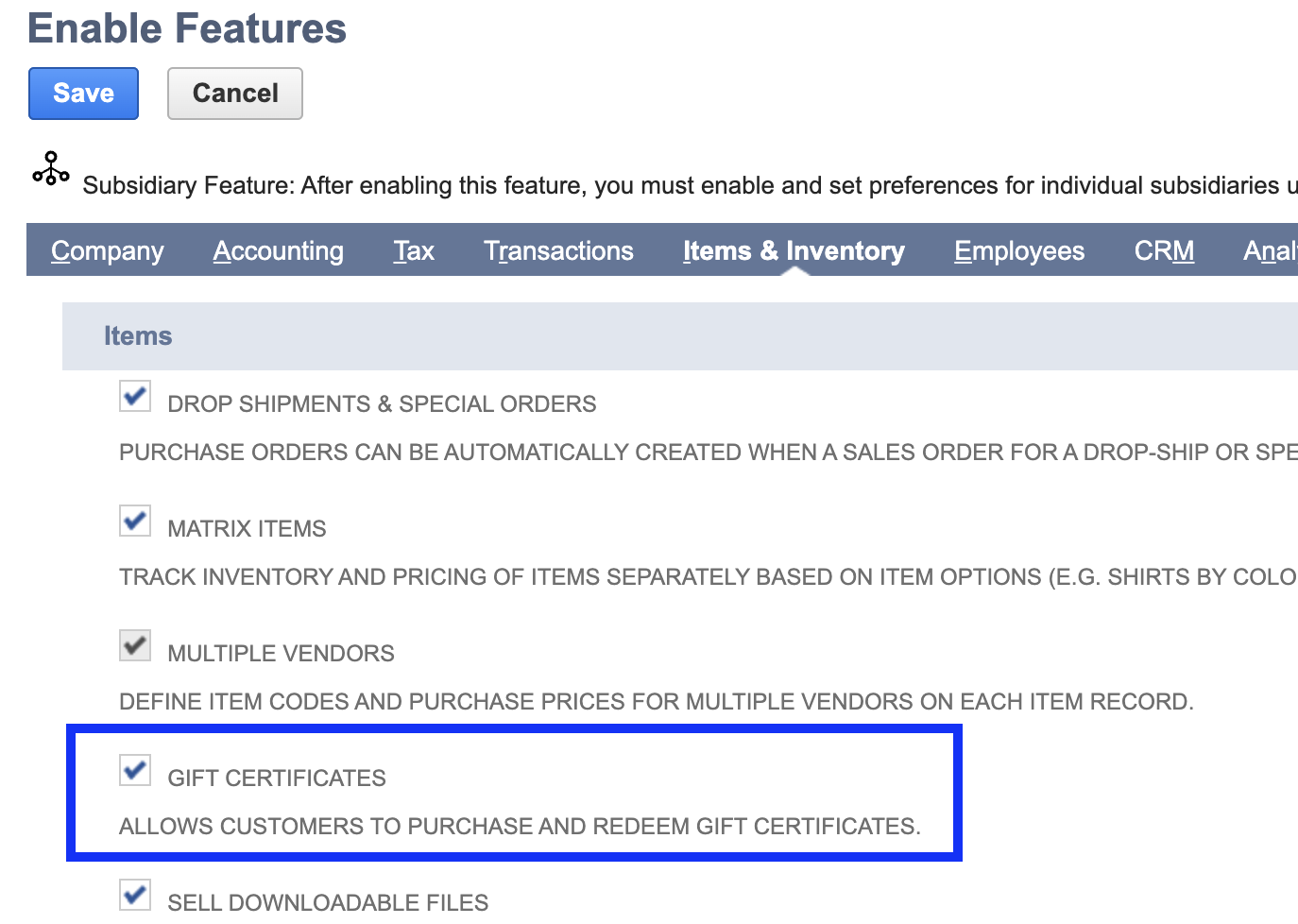
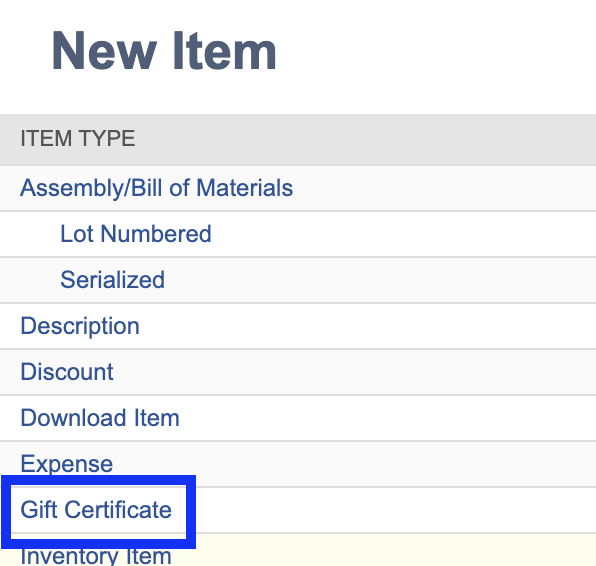
2. Create a Gift Certificate Item in NetSuite under Lists > Accounting > Items > New > Choose Gift Certificate.
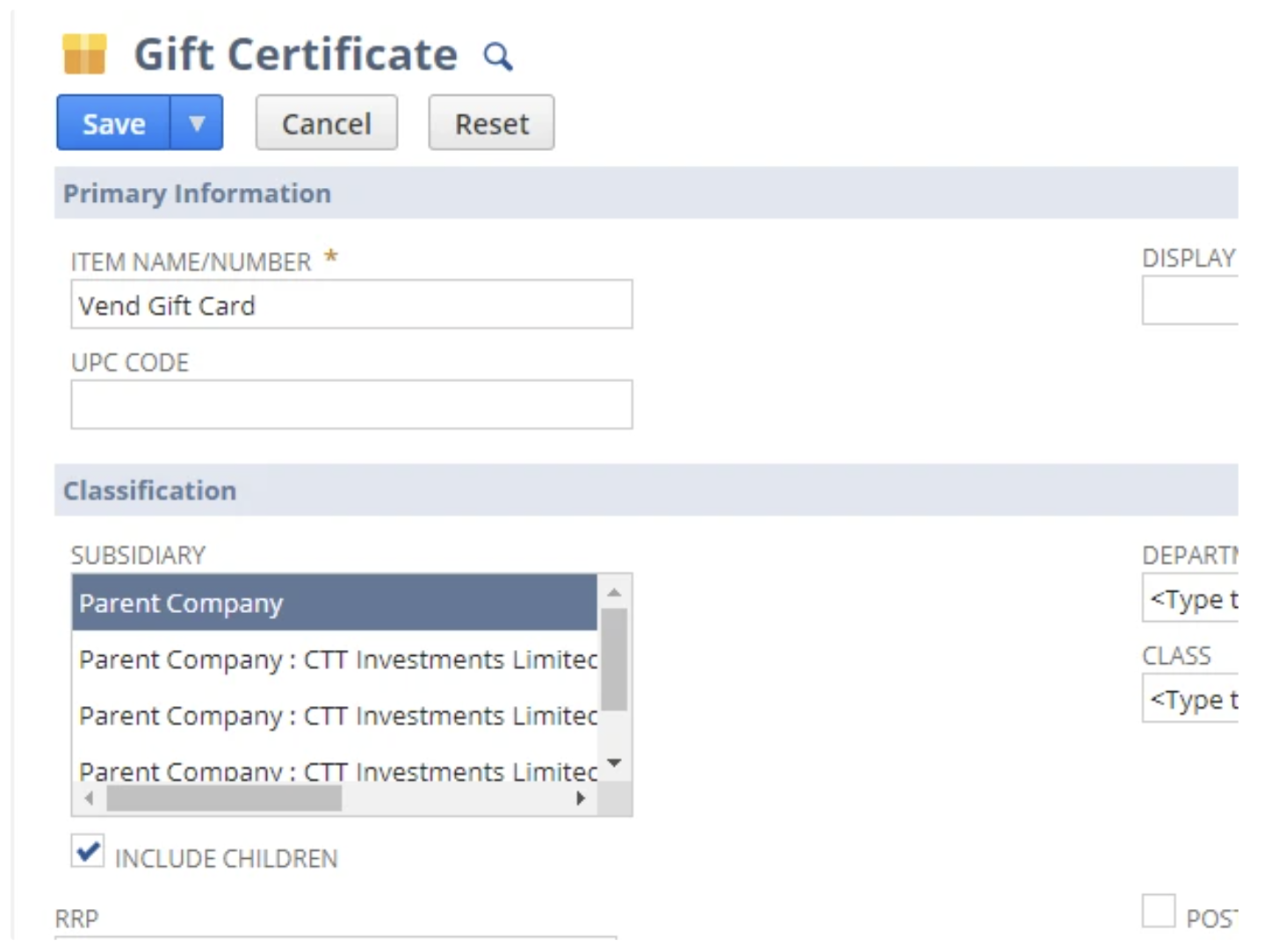
Set a name for the Gift Certificate item and include all needed subsidiaries.
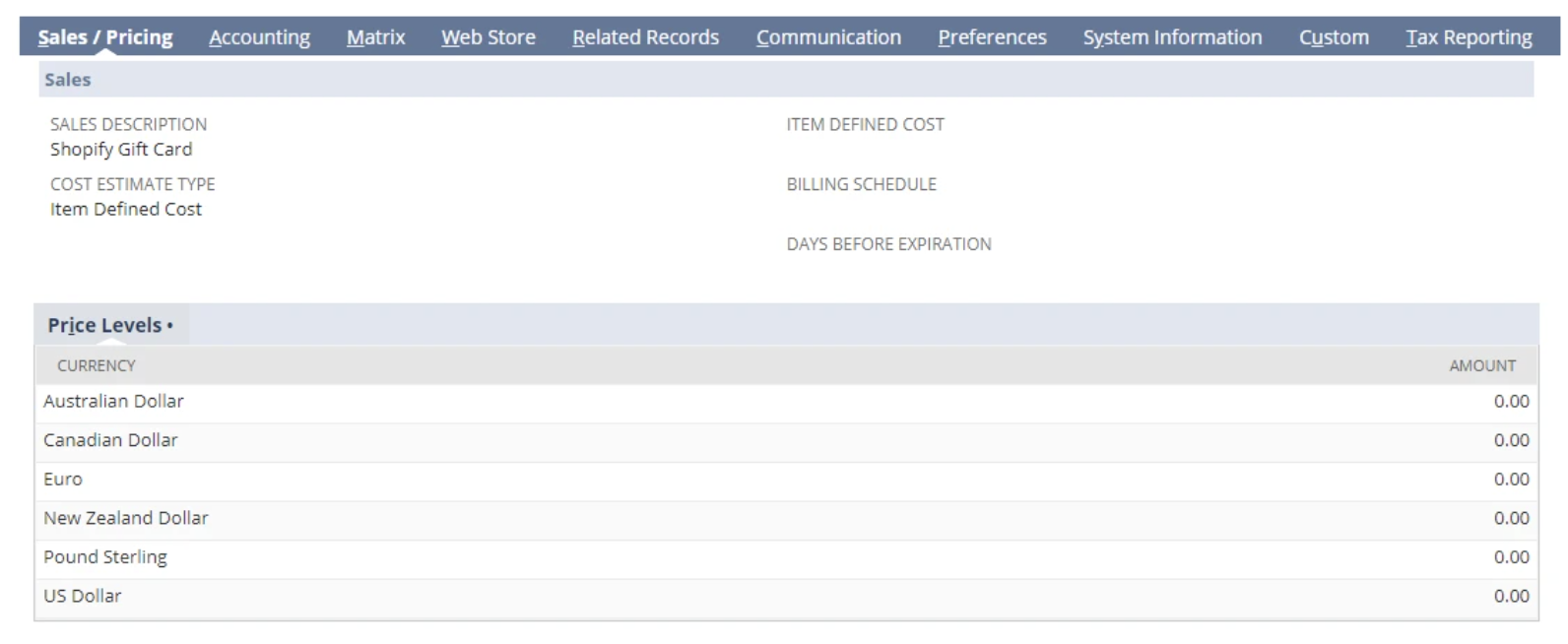
List the Pricing for levels needed at $0.00.
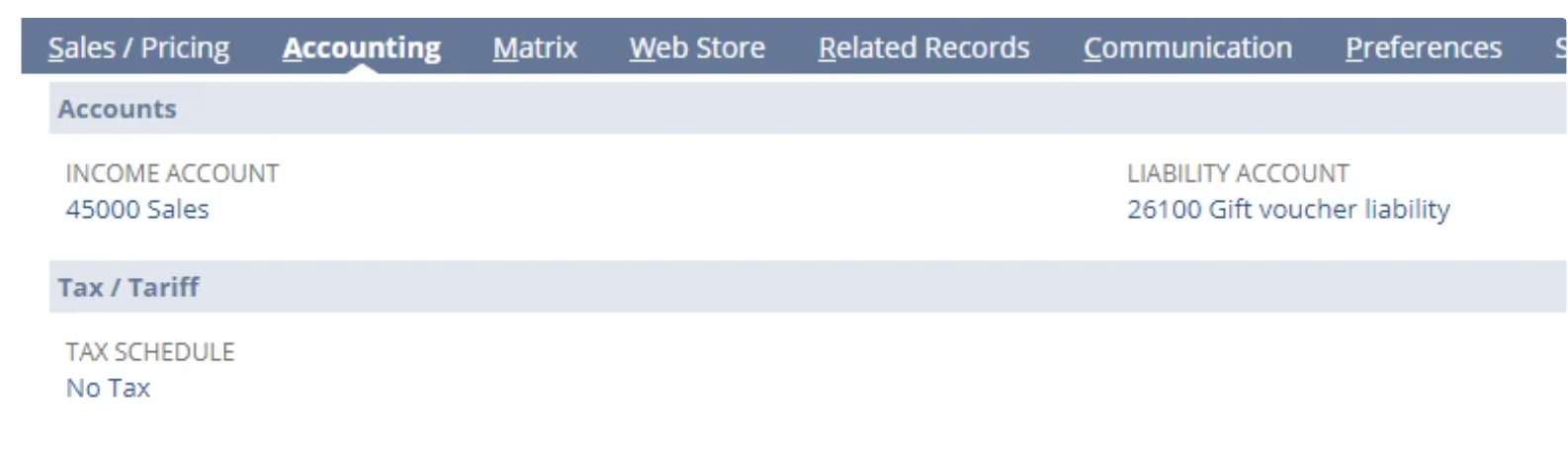
Set the appropriate Accounting information (Income Account, Liability Account, Tax Schedule=No Tax).
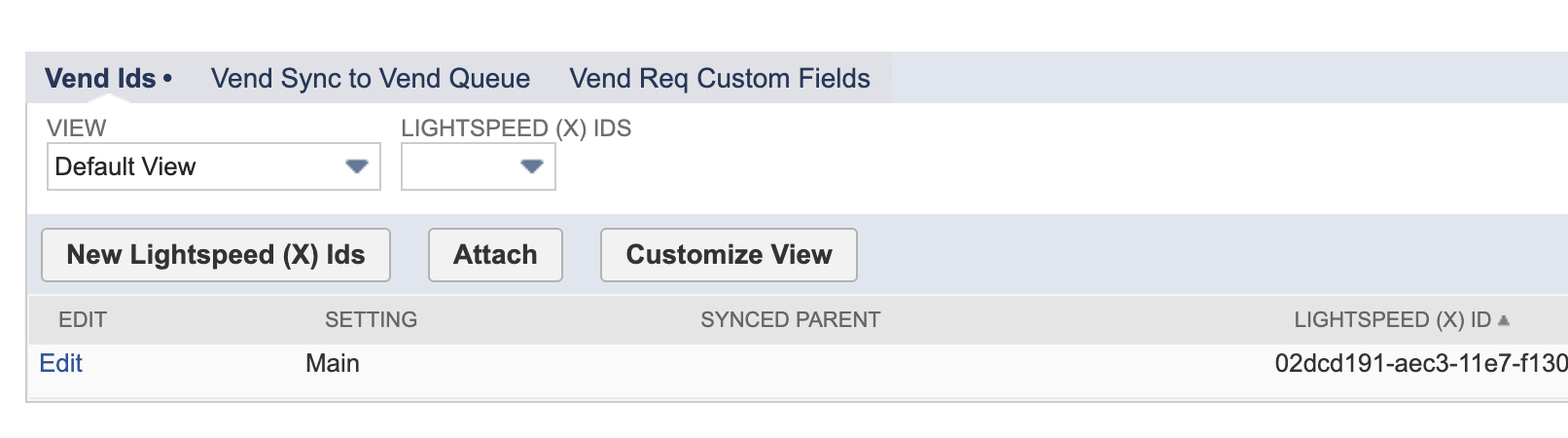
Under the In8sync subtab, list the Main Lightspeed X-Series Product ID that you were given during the Lightspeed Gift Card setup instructions above, so that purchased gift cards from Lightspeed X-Series may connect to NetSuite for Gift Card creation.
(Please Note: If creating Sales Orders, gift card purchases must be billed in NetSuite to allow the order to be accurately created.)