
LightSpeed X-Series - Sync To LSX Queue and Script User Guide

Table of Contents
Sync To LightSpeed X-Series Queue
This queue is where all records needing to be synced to Lightspeed X-Series are placed. Most records arrive at this queue when the ‘Send to Vend’ button is pressed within NetSuite records. These records are then synced, processed, and removed from the queue.
The following Records Sync through the queue:
Items
Purchase Orders
Item Receipts
Transfer Orders
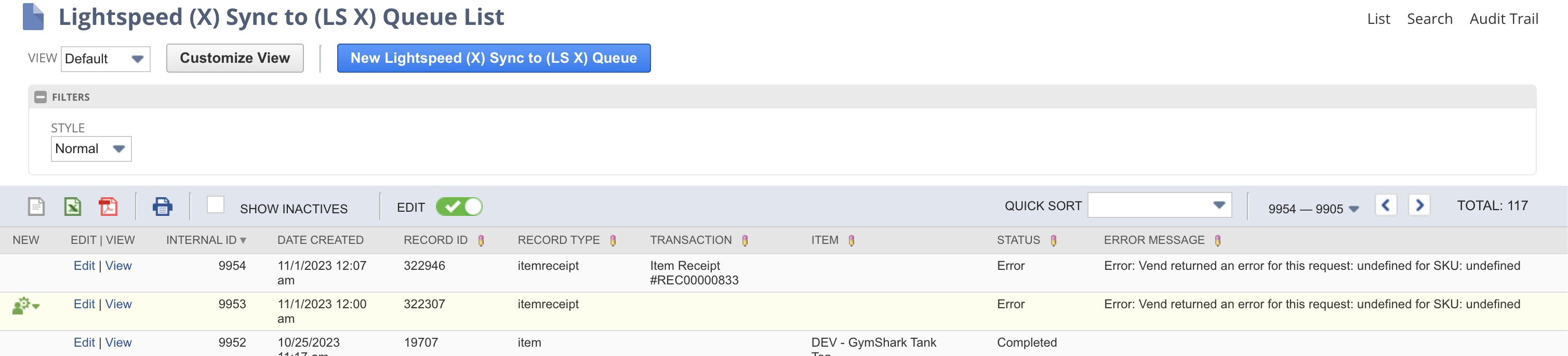
Below are the list of fields and their descriptions of the Sync To LightSpeed X-Series Queue record.
Field Name | Description | Notes | |
|---|---|---|---|
| 1 | Date Created | Date and Time the Sync To Lightspeed X-Series Queue was created. |
|
| 2 | Transaction | Transaction record to be synced. | |
| 3 | Item | Item record to be synced. |
|
| 4 | Record Type | Record type of the record to be synced. |
|
| 5 | Record ID | Internal ID of the record to be synced. |
|
| 6 | Status | Displays the status of sync to Lightspeed X-Series. |
|
| 7 | Error Message | Displays any error messages encountered during processing. |
|
Sync To LightSpeed X-Series Script
This displays the list of deployments that process the Sync to LightSpeed X-Series Queue.

Lightspeed X-Series Send Vend SS: This is the main program responsible for processing the Sync to Lightspeed X-Series Queue and sending their details to Lightspeed X-Series every 15 minutes.