Shopify Location Mappings
Locations Mappings under Setup Tab > In8Sync Shopify > Location Mappings, has a Two Part Function:
NS to Shopify Stock updates + Location ID for updating QTY Available
Requires Item Parameter Mapping for what NS location/s are approved to sync Stock Updates to Shopify for that site
Used in conjunction to match with the Location Mappings Location ID Configured for the Stock to be Sent which Shopify location
Stock “QTY available” from NS Items Location mapped to sync to Shopify Locations CANNOT be sent from NS to Shopify If the Site Item Mappings do not list the location.
NS to Shopify Fulfillment - Location ID is needed to Successfully Update the Shopify Order Fulfillment (location ID required)
Fulfillment from NS to Shopify and update the order Requires a Shopify Location ID
NetSuite
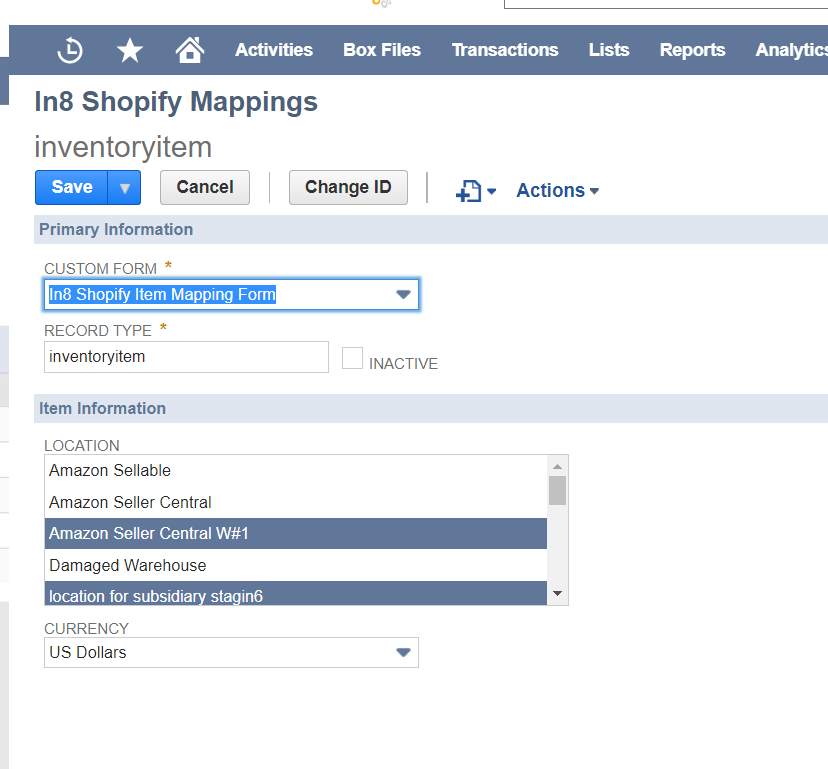
Locations must be configured on item mappings for Stock levels to sync to Shopify.
Configuration on Shopify Locations settings page is also required (below).
Setup->Shopify->Mappings->Item Mapping (by product type)
The locations mapped here are checked during stock Sync, to know what locations are Approved to pull stock from to update Shopify location with
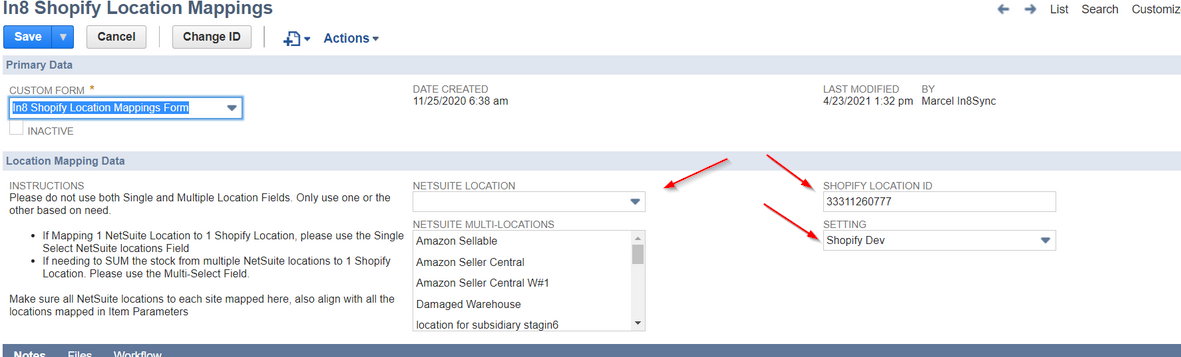
Locations then get mapped to Shopify locations
These locations are used for Shopify location ids on Stock Sync and Item Fulfillment Sync
Setup->Shopify->Locations
Shopify
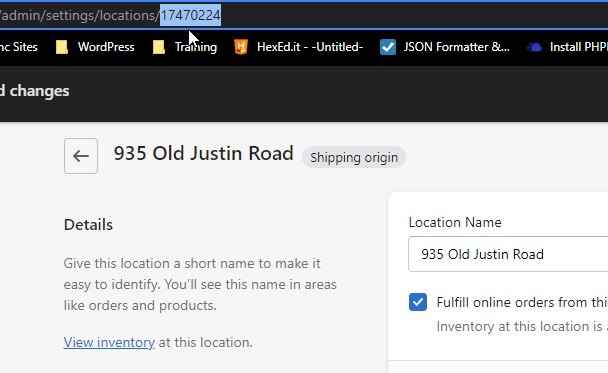
To get the Shopify Location Id from Shopify Locations for the mappings
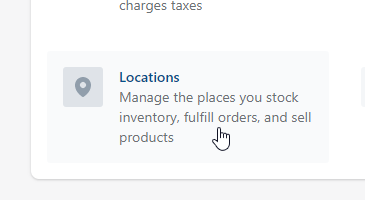
Go to Shopify Site > Settings (Bottom Left of Admin Console) > Locations
Click on the location in Shopify to get the id for that
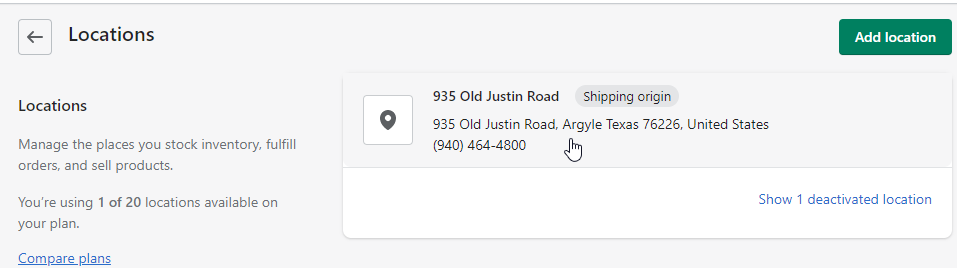
In the URL is the ID