(ASC) SP-API Secret Rotation Update Guide
Overview
Your In8Sync Amazon Seller Central connection uses a “Login with Amazon (LWA)” credential, also know as a Client Secret, to authenticate your access to the Amazon API. To enhance security, the Amazon API team is now requiring your Client Secret to be updated every 180 days.
Below is an example notification sent out by Amazon, notifying you of the need to update your credentials, and our instructions on how to do the update.
Hello,
In accordance with our recent announcement, we are improving security for Amazon Services API Developers and their customers by requiring the rotation of Login with Amazon (LWA) credentials (client secrets) every 180 days. Regular and timely rotation of LWA client credentials limits the duration of your application’s credentials in the event that credentials are exposed or compromised.
We are contacting you to provide you with a 90-day notice, as one or more of your applications have credentials that must be updated by May 22, 2023.
What will happen if my credentials aren't rotated by May 22, 2023?
If you do not update LWA credentials before May 22, 2023, your API integration will lose access to Amazon Services API, including the ability to make successful API calls, which may directly impact any customers that previously authorized your application by restricting critical business functions. We will update this case with a notice of changes to your access 24 hours prior to removing API access.
How do I rotate my LWA credentials?
Use the following procedure to generate new LWA credentials (client secrets).
Sign in to your developer account on Seller Central, Vendor Central, or Developer Central and navigate to the Developer Console page that lists all your applications.
From the LWA credentials column, select View for any applications showing an expiry alert.
For ease of reference, you can store your existing LWA credentials securely in an encrypted form.
Choose Rotate secret to generate a new LWA client secret.
Acknowledge the warning message and confirm that you wish to proceed with the credential rotation.
Update your application to use the new LWA client secret.
More information
For more information, refer to Rotating your application's LWA credentials in the Amazon Services API documentation.
https://developer-docs.amazon.com/sp-api/docs/rotating-your-apps-lwa-credentials
Regards,
Amazon Developer Support team
In Amazon
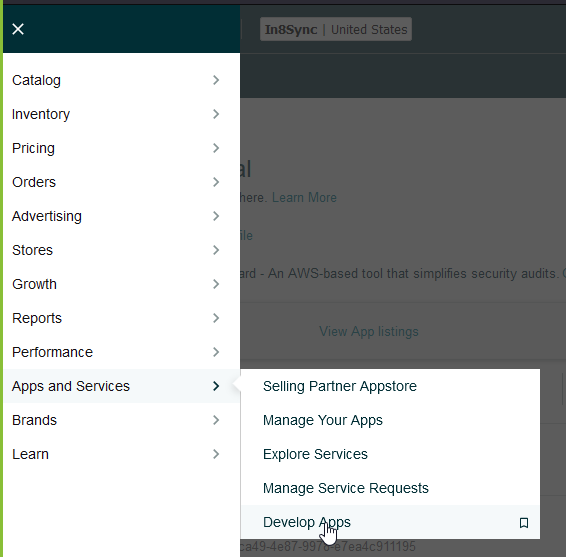
To do the Client Secret Refresh, head to the Developer Console:
https://sellercentral.amazon.com/sellingpartner/developerconsole
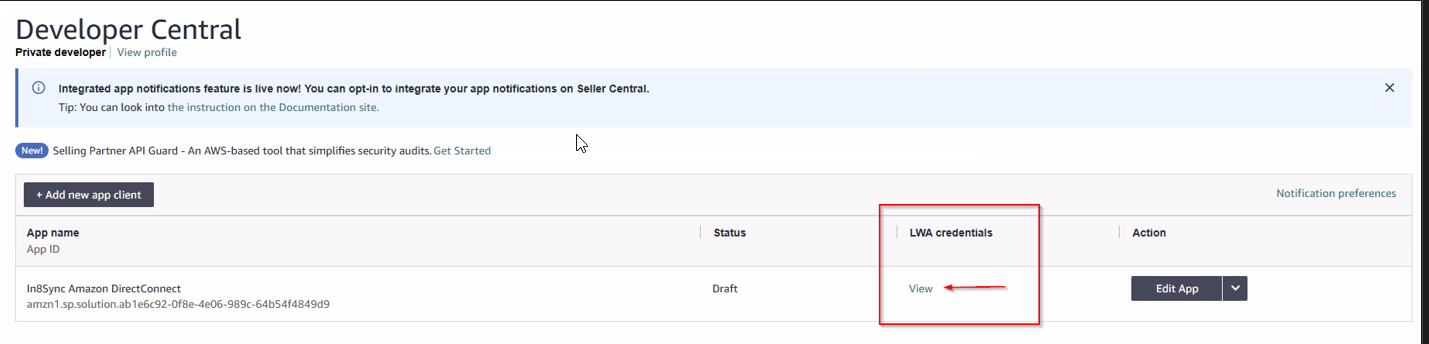
Once there, Click on the VIEW Under the LWA credentials
Once the Popup Loads, Click on the Drop Down Arrow next to Client Secret to see the Secret and the Rotation Deadline
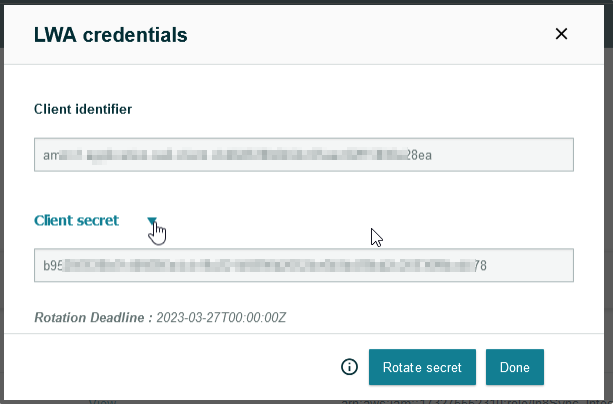
Click on Rotate Secret and the Warning will popup
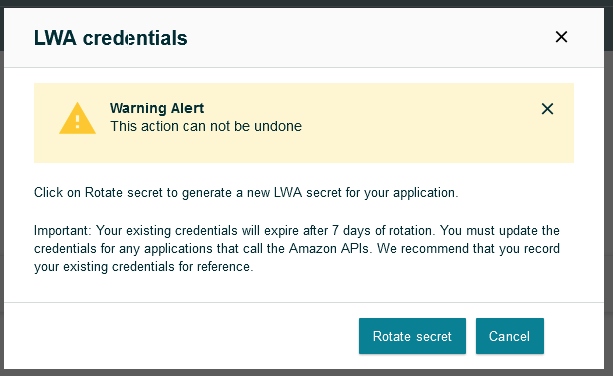
Click again on Rotate Secret, then the LWA Credentials will pop up again with the NEW Secret. Click again on the Drop Down Arrow next to Client Secret to see new Rotation Deadline and copy the New Secret
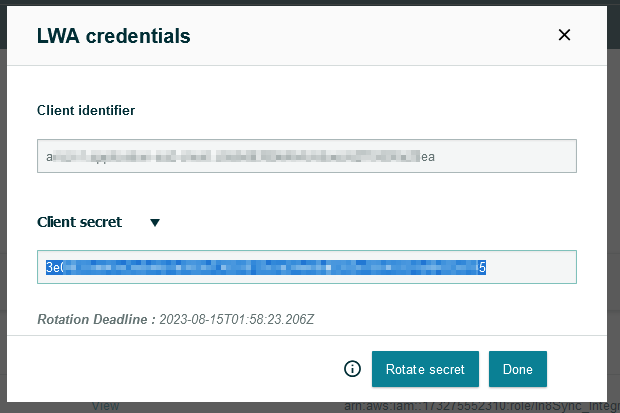
Once you have copied the New Secret, head to NetSuite
In NetSuite
Go to Setup Tab > Amazon Seller Central > Access/Credentials
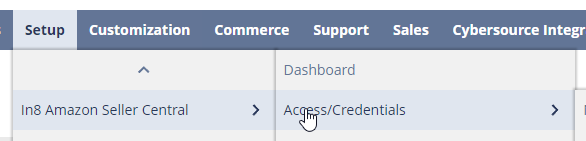
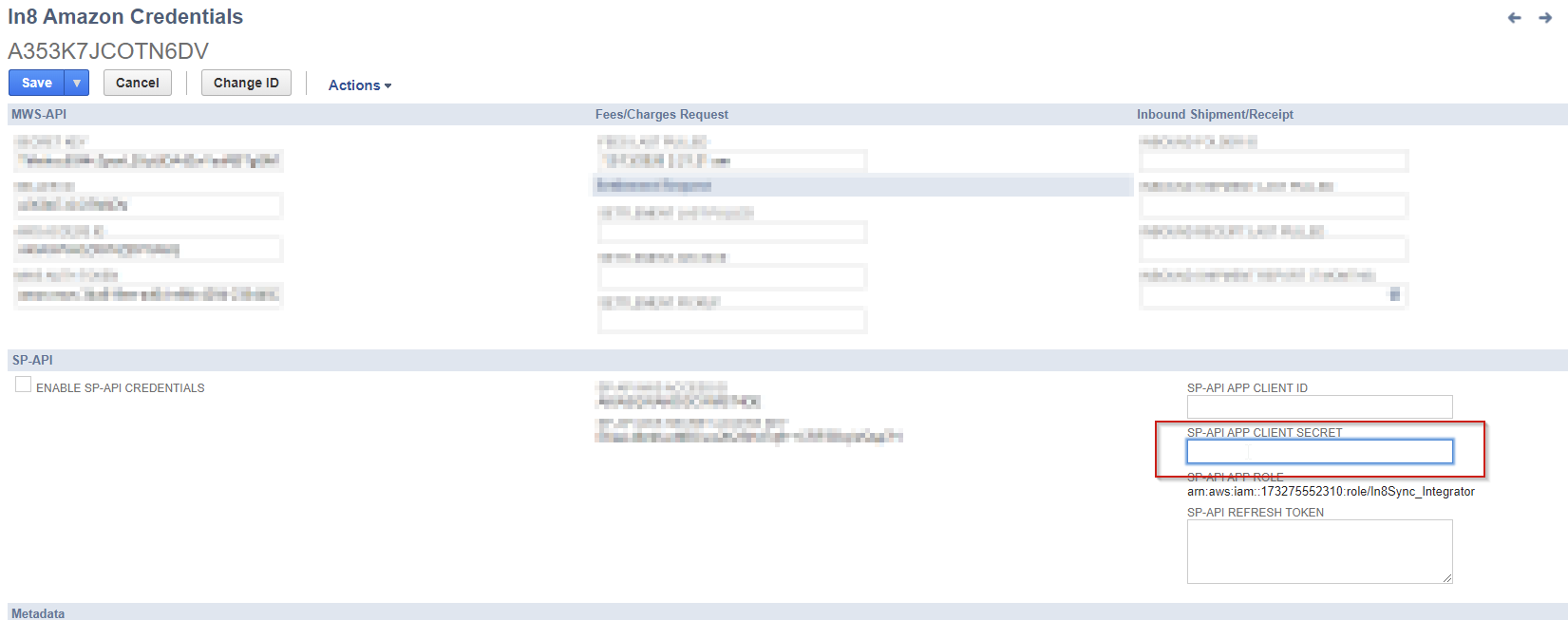
Edit the Correct Credentials and take the current SP-API APP Client Secret and copy it to a safe place in case of needing temporarily.
Then replace the SP-API APP Client Secret with the New one and Save